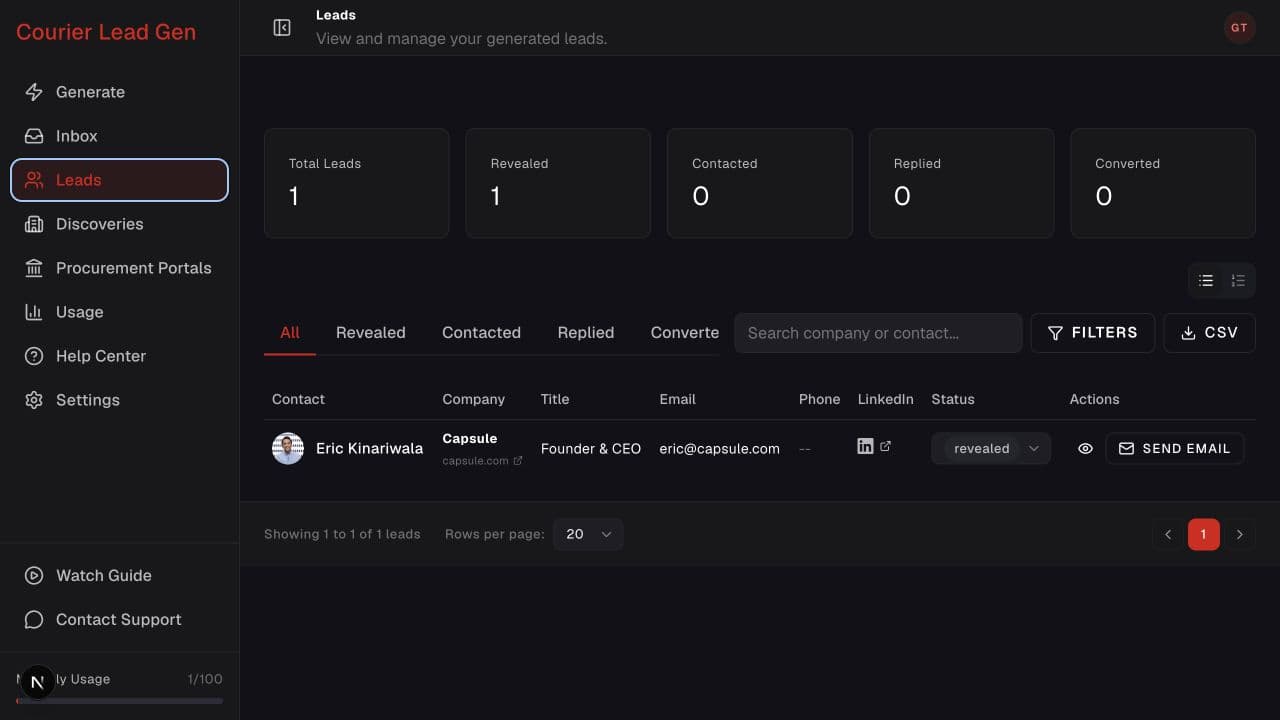
Follow the animated cursor to “Email available”.
1
Step 1 of 5
Open a revealed lead
In Leads, find a person with an available email address.
Open the email action and connect the mailbox required for outreach.
Open LeadsStep 1 of 5
In Leads, find a person with an available email address.
Step 2 of 5
Select Send Email from the lead row.
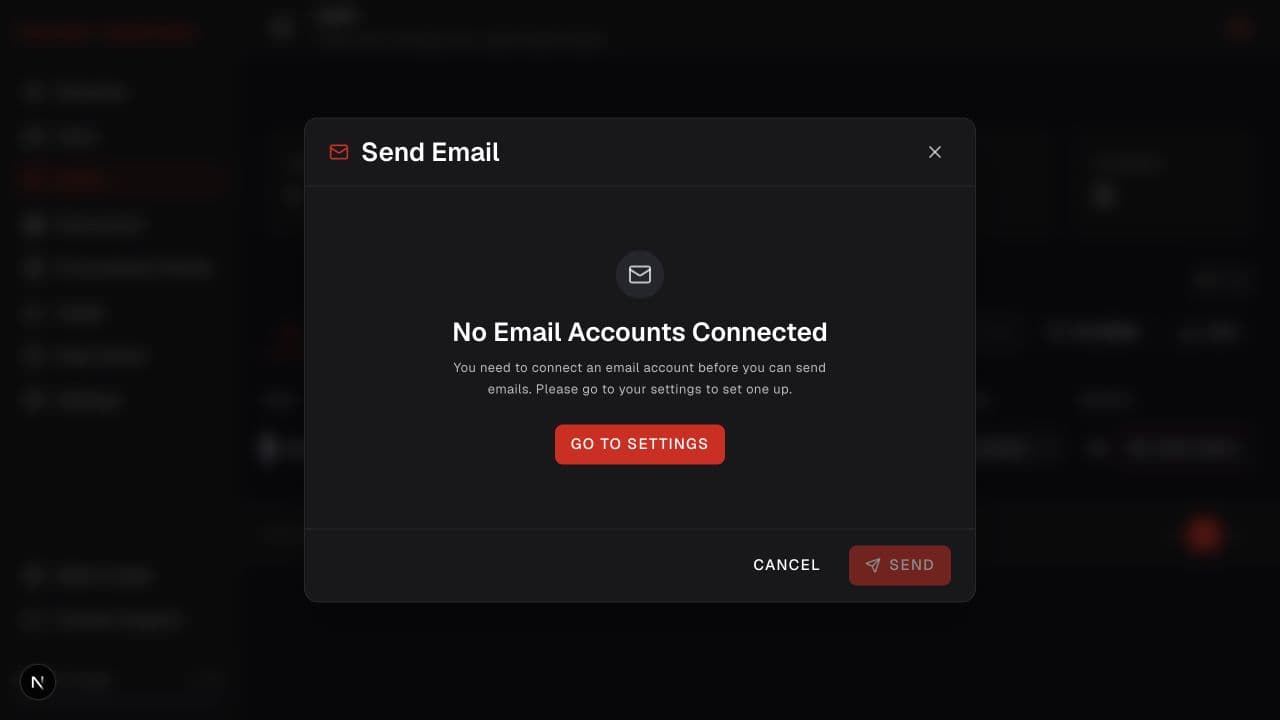
Step 3 of 5
If no email account is connected, select Go to Settings in the dialog.
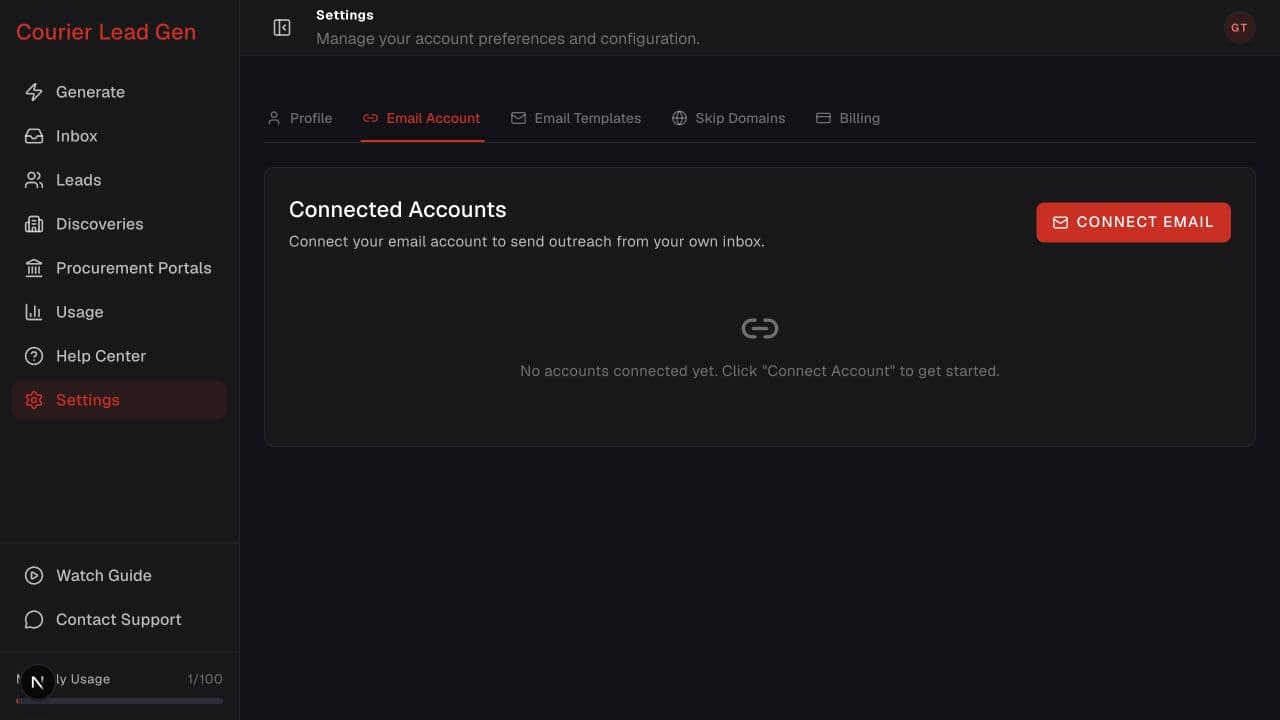
Step 4 of 5
Select Connect Email and complete the provider authorization. Then return to the lead and open Send Email again.
Step 5 of 5
When the connected-mailbox composer opens, choose the account and template, generate the draft, and review the recipient, subject, links, and body before selecting Send.
Open the feature and follow the same steps in your account.
Open Leads