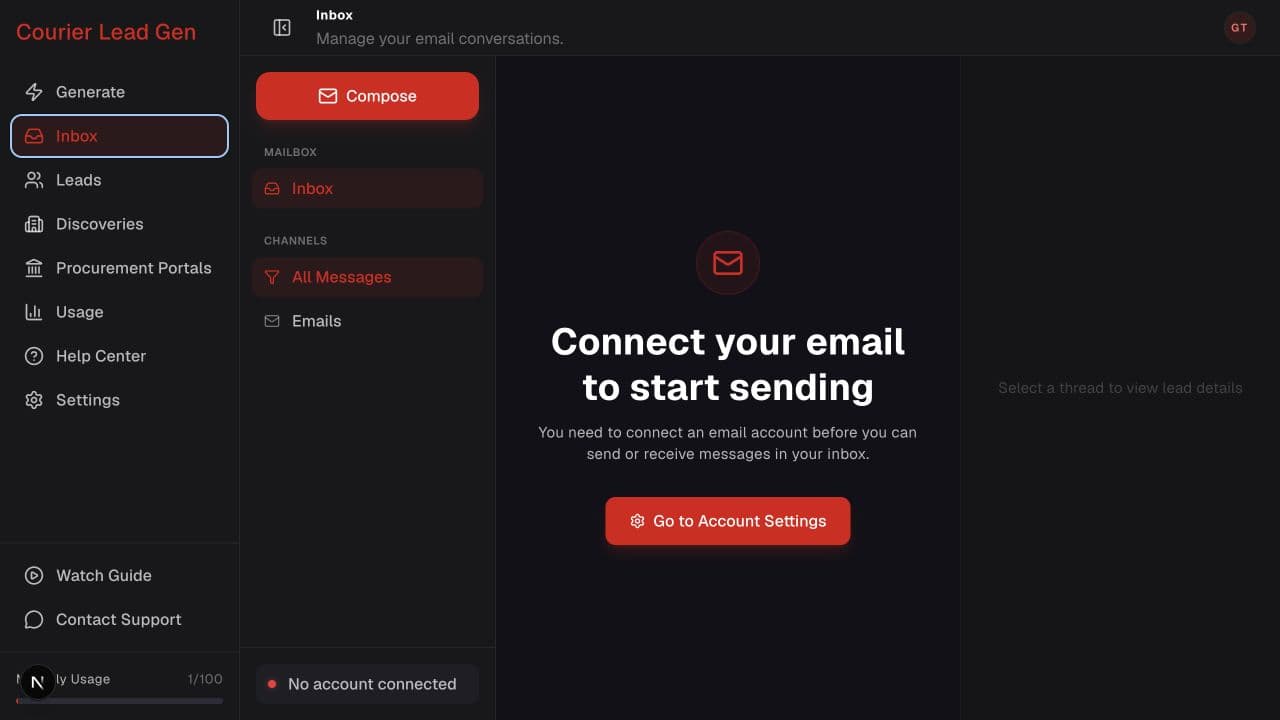
Follow the animated cursor to “Inbox”.
1
Step 1 of 3
Open Inbox
Select Inbox in the sidebar. If no mailbox is connected, the setup prompt appears.
Connect a mailbox so Inbox can send and receive threaded conversations.
Open InboxStep 1 of 3
Select Inbox in the sidebar. If no mailbox is connected, the setup prompt appears.
Step 2 of 3
Select Go to Account Settings in the center of the setup prompt.
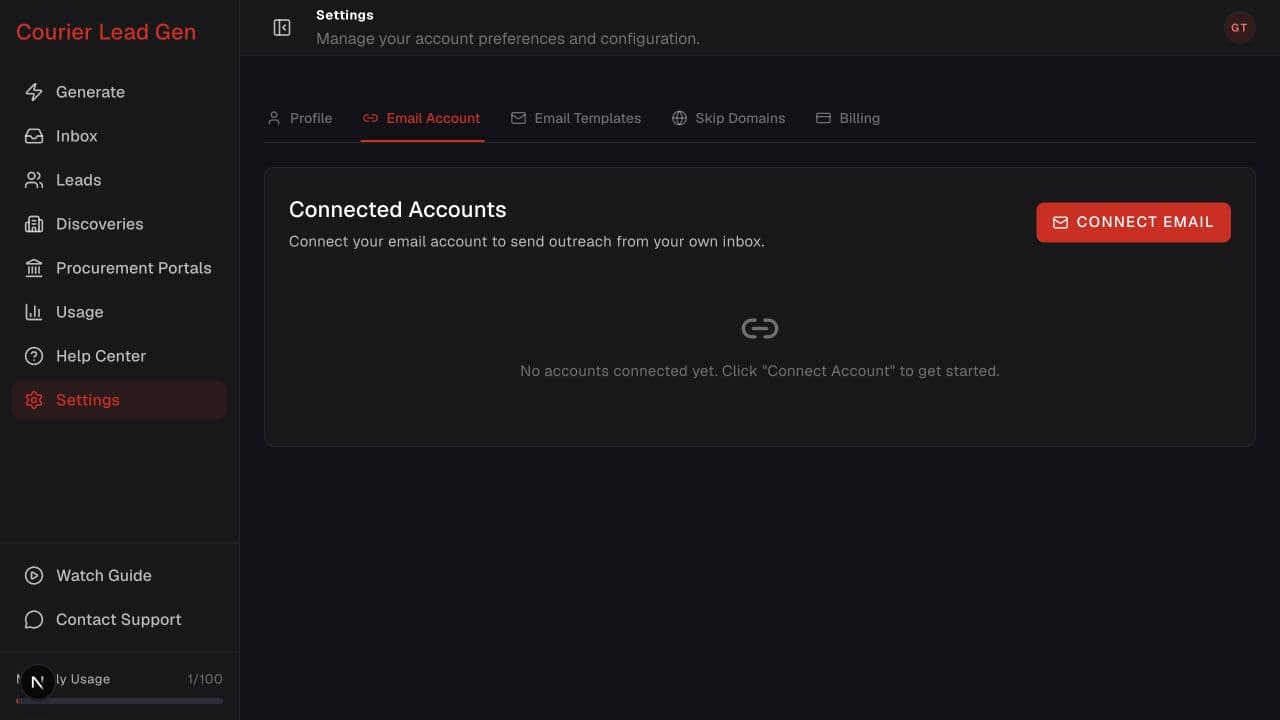
Step 3 of 3
Select Connect Email and complete Gmail or Outlook authorization. Conversations will appear in Inbox after the connection is active.
Open the feature and follow the same steps in your account.
Open Inbox