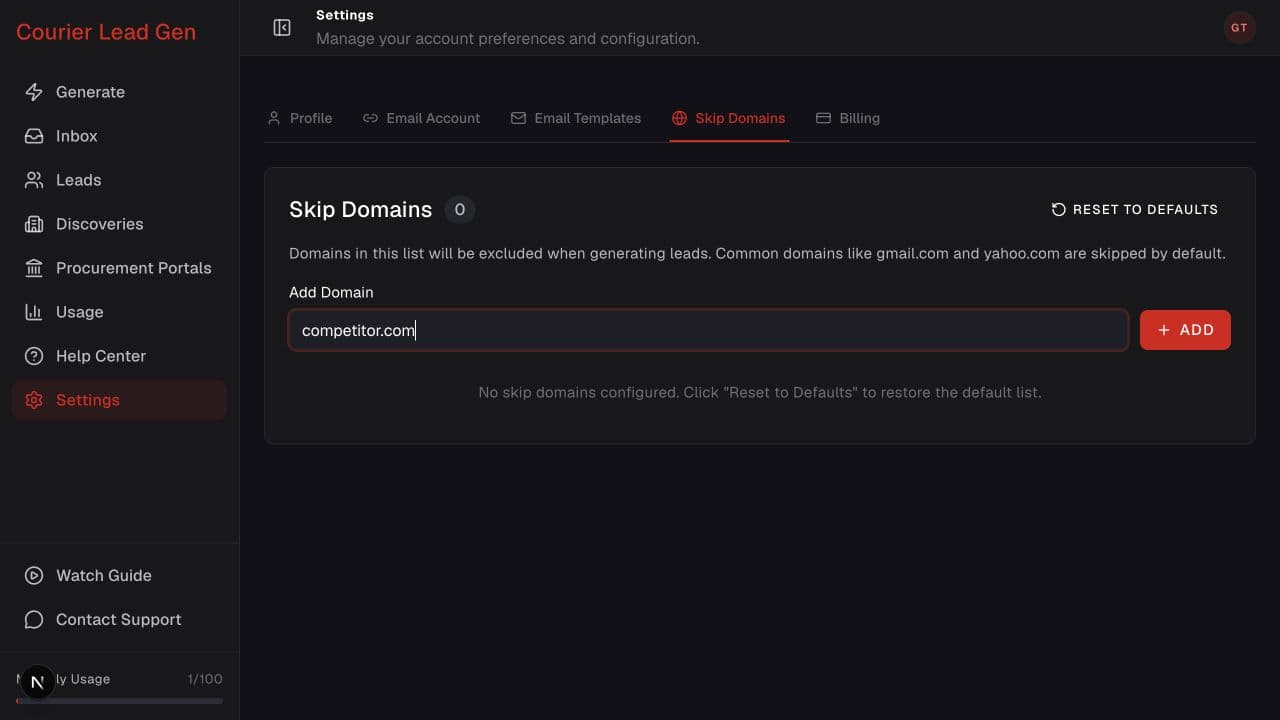
Follow the animated cursor to “Skip Domains”.
1
Step 1 of 4
Open Skip Domains
Go to Settings and select Skip Domains.
Prevent selected domains from appearing in relevant lead-generation flows.
Open Skip DomainsStep 1 of 4
Go to Settings and select Skip Domains.
Step 2 of 4
Type only the company domain, without https:// or a page path.
Step 3 of 4
Select Add, then confirm that the domain appears in the list below.
Step 4 of 4
Select Reset to Defaults if you want to restore the app's standard excluded domains.
Open the feature and follow the same steps in your account.
Open Skip Domains