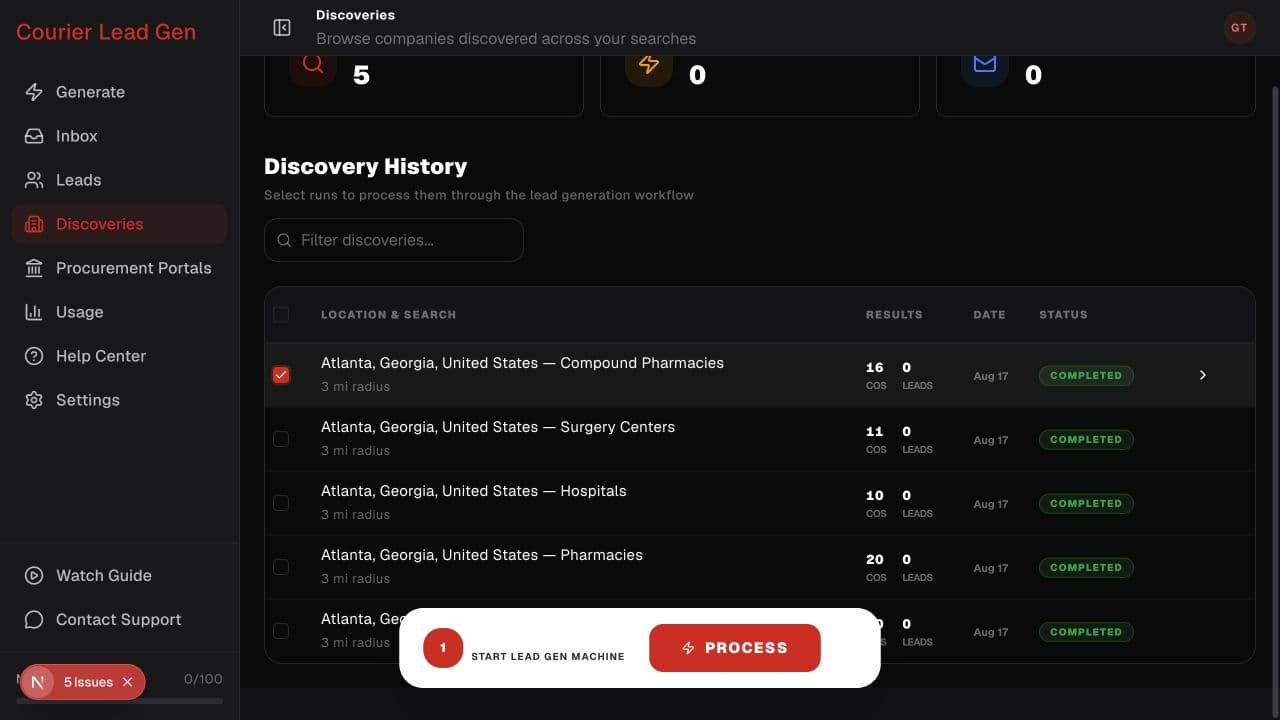
Follow the animated cursor to “Discovery checkbox”.
1
Step 1 of 8
Select a completed discovery
On Discoveries, check the row for the search you want to process.
Select companies, choose relevant people, reveal their contact details, and review them for outreach.
Choose a discoveryStep 1 of 8
On Discoveries, check the row for the search you want to process.
Step 2 of 8
Select Process in the Discoveries Ready bar that appears at the bottom.
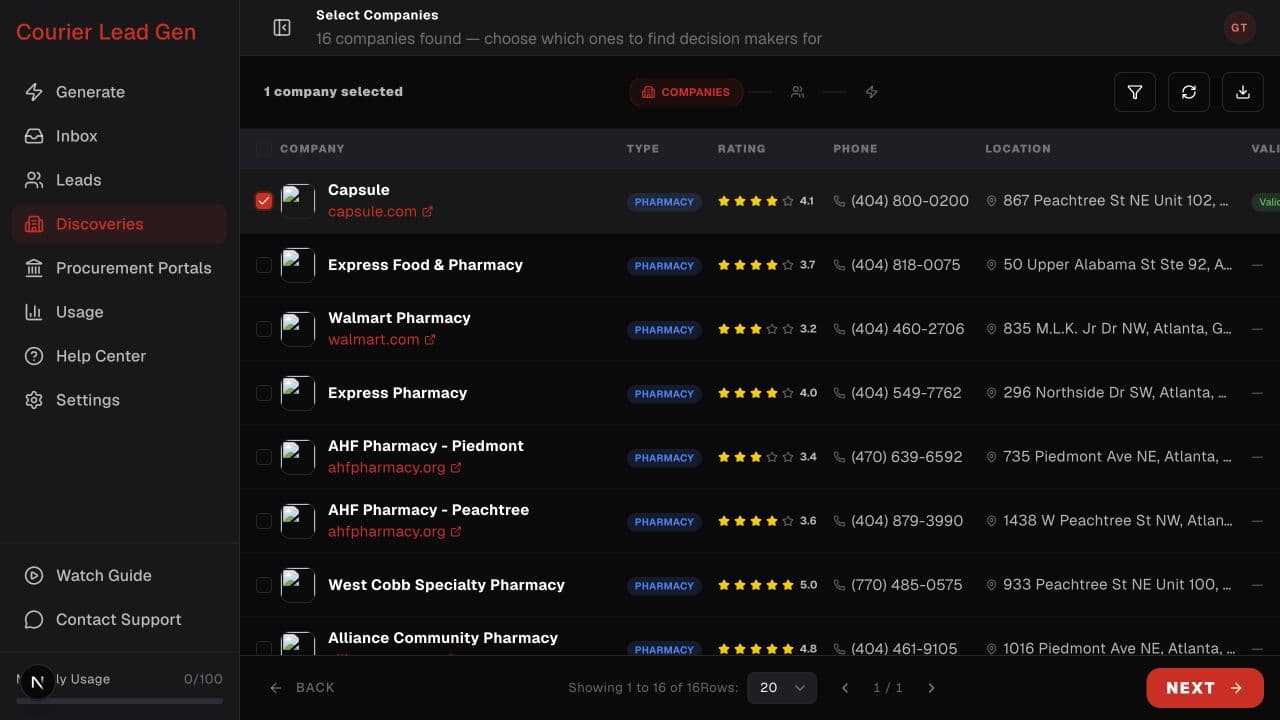
Step 3 of 8
In Companies, check the businesses whose decision-makers you want to find. Prefer companies with a website domain, then select Next.
Step 4 of 8
Review the selected-company count and select Next in the bottom-right corner.
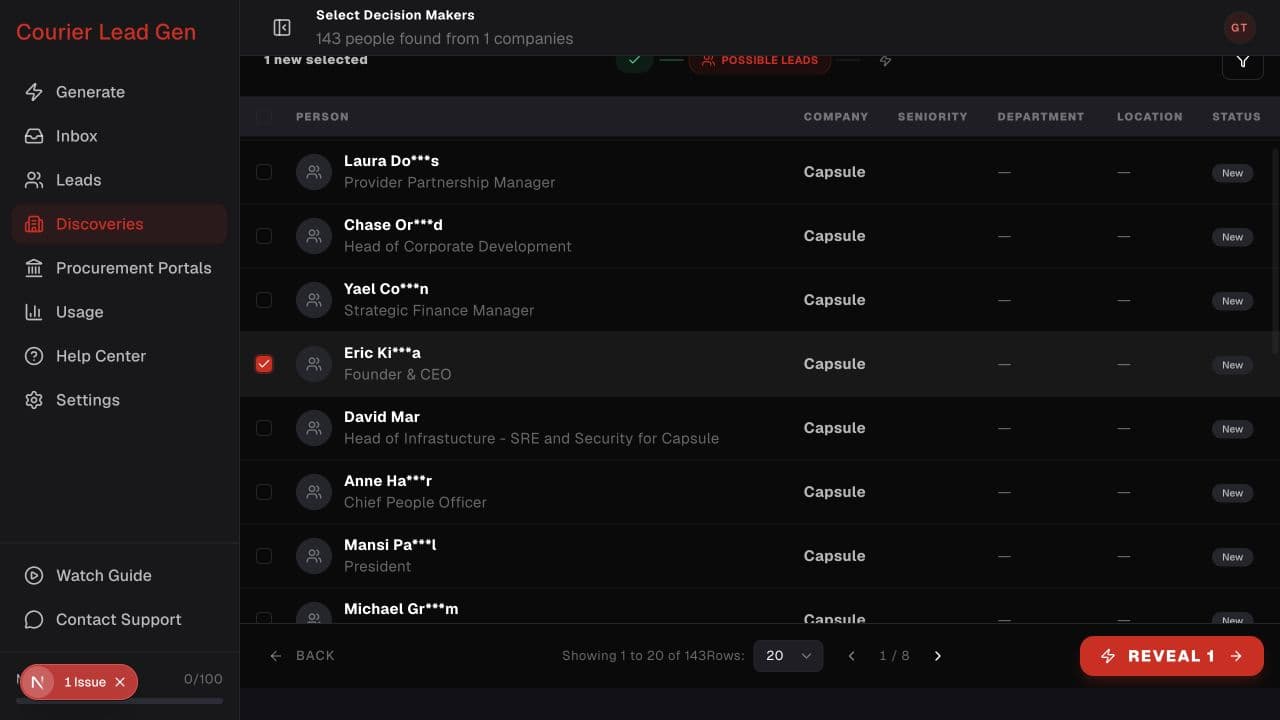
Step 5 of 8
In Possible Leads, use Filters if needed, then check the people whose role fits your outreach.
Step 6 of 8
Select Reveal in the bottom-right corner. The button shows how many new contacts will be revealed.
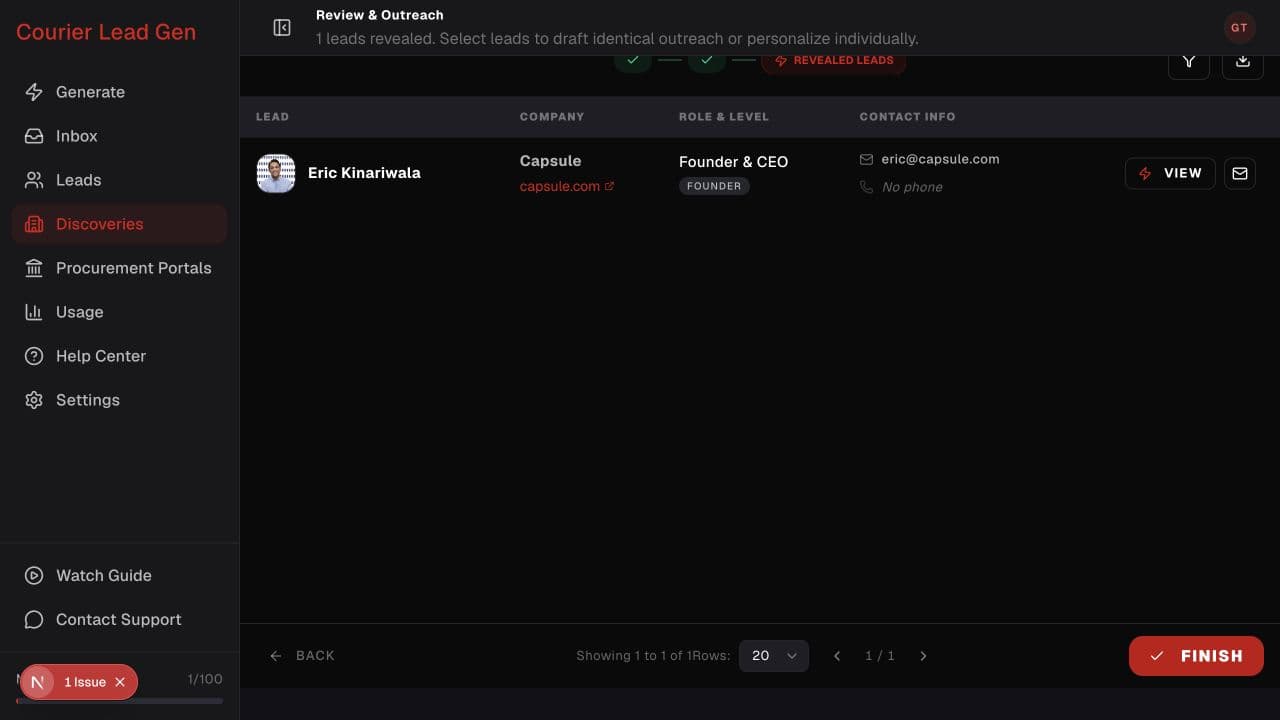
Step 7 of 8
In Revealed Leads, verify the available email, phone, company, and role. Select View for more details or use the envelope action to start a draft.
Step 8 of 8
Select Finish when you are done. You will return to Discoveries, and the revealed contacts will also be available in Leads.
Open the feature and follow the same steps in your account.
Choose a discovery