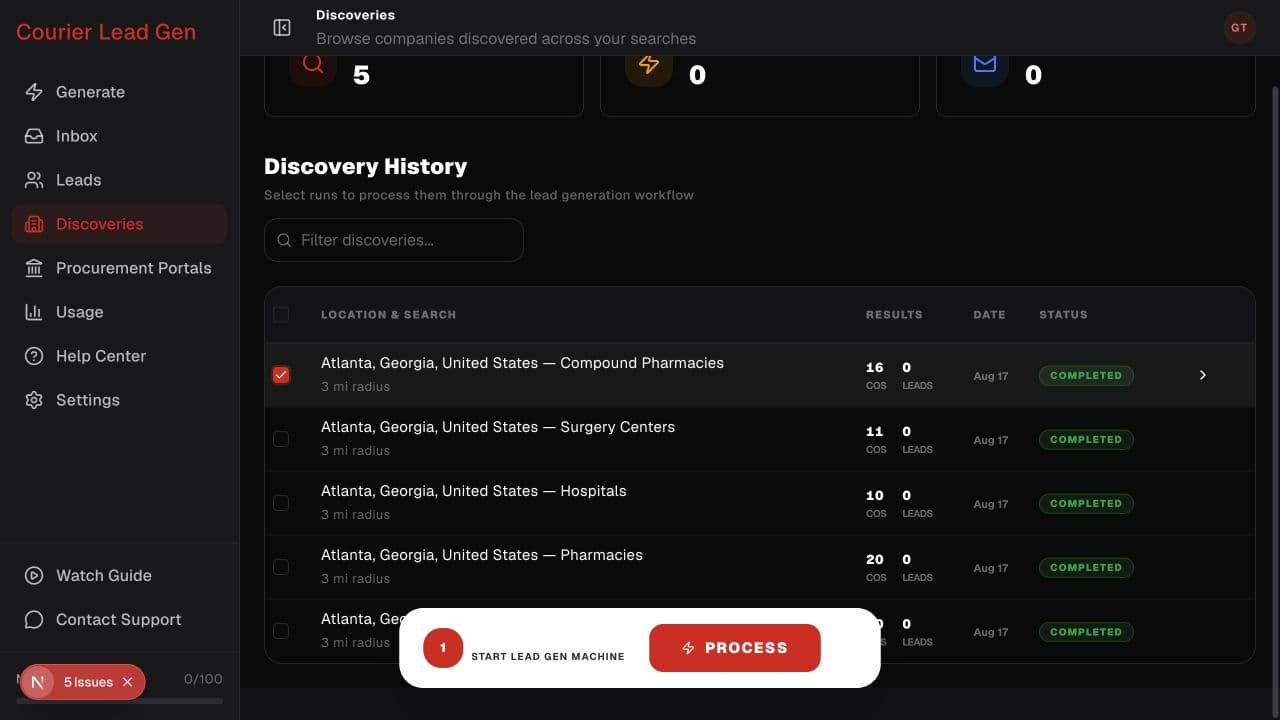
Follow the animated cursor to “Completed discovery”.
1
Step 1 of 3
Open discovery history
Go to Discoveries and find the completed location and category you want to process.
Move from a completed search to company selection and decision-makers.
Open DiscoveriesStep 1 of 3
Go to Discoveries and find the completed location and category you want to process.
Step 2 of 3
Check the box at the beginning of its row. You can select more than one completed discovery.
Step 3 of 3
When the Discoveries Ready bar appears, select Process to open the three-step workflow.
Open the feature and follow the same steps in your account.
Open Discoveries