All visual guides
Lead generation 2 min

Start a discovery

Find courier companies or potential clients around a location.

Open Generate
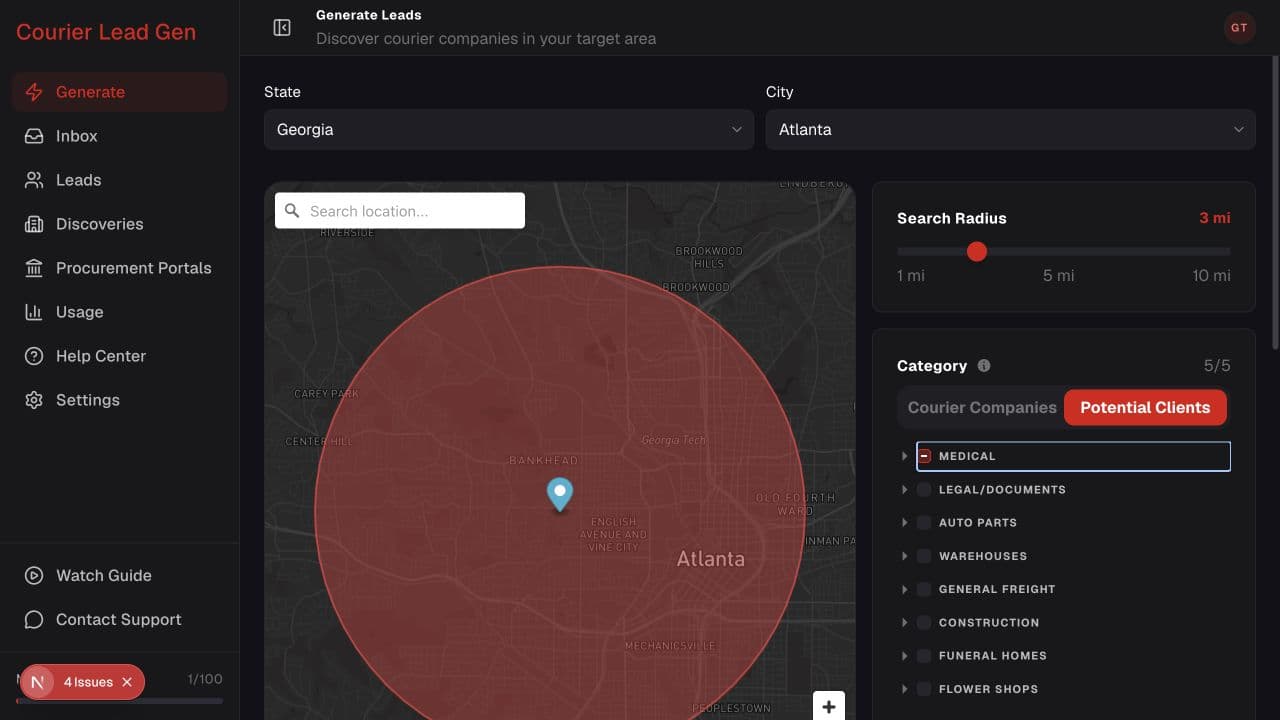
Generate Leads page with location, map, radius, categories, and Start Discovery button
Follow the animated cursor to “State and city”.
1

Step 1 of 4

Choose the location

Select a state and city. You can also search or reposition the map pin.

Generate Leads page with location, map, radius, categories, and Start Discovery button
Follow the animated cursor to “Radius slider”.
2

Step 2 of 4

Set the search area

Use Search Radius to decide how far around the pin the discovery should look.

Start with a smaller radius for a more focused first search.
Generate Leads page with location, map, radius, categories, and Start Discovery button
Follow the animated cursor to “Potential Clients”.
3

Step 3 of 4

Choose what to find

Switch between Courier Companies and Potential Clients, then select up to five categories.
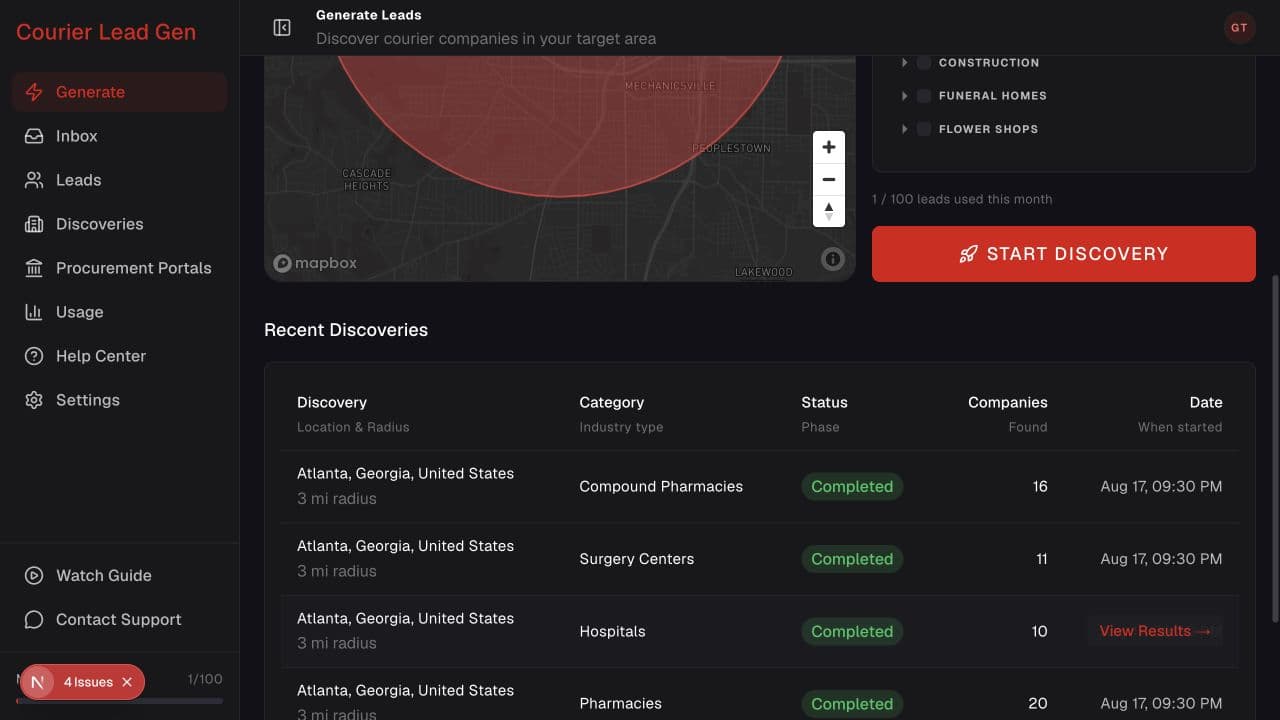
Generate Leads page scrolled to the Start Discovery button and recent discoveries
Follow the animated cursor to “Start Discovery”.
4

Step 4 of 4

Start the discovery

Review the location and selected categories, scroll below the map, then select Start Discovery.

The search continues in the background, so you can leave this page.

You’re ready

Open the feature and follow the same steps in your account.

Open Generate