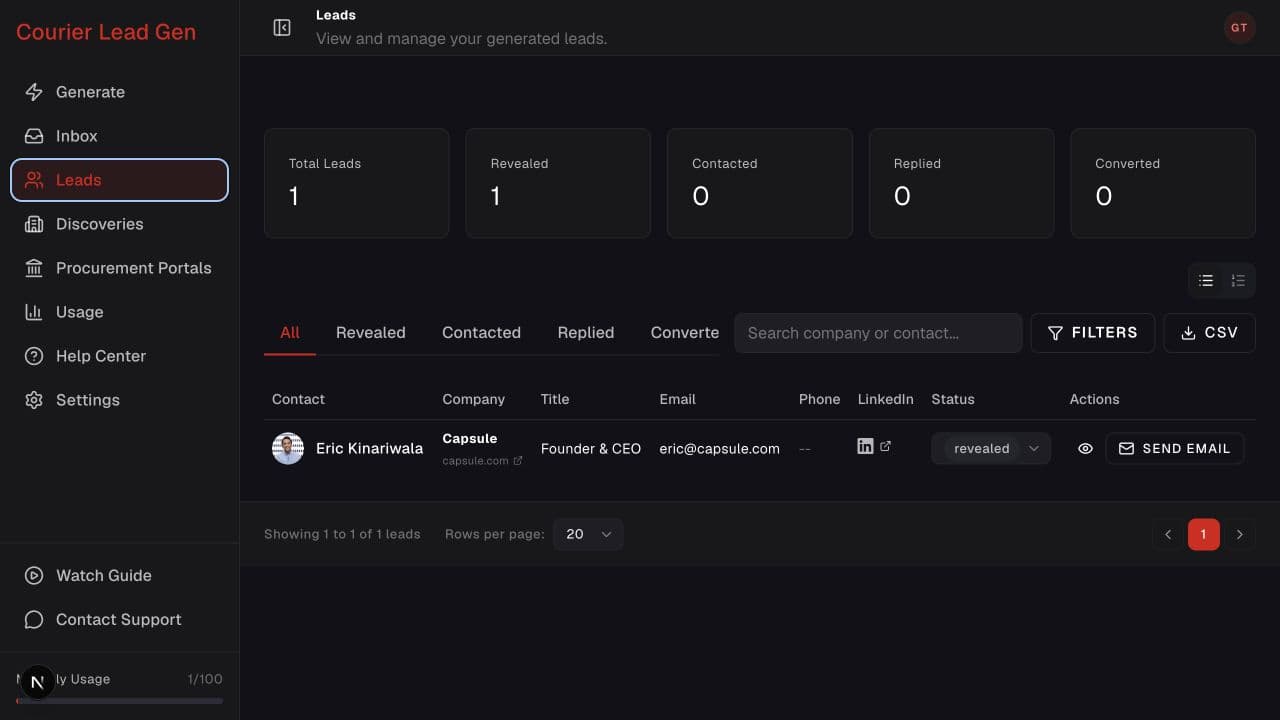
Follow the animated cursor to “Choose status”.
1
Step 1 of 3
Open Leads
Go to Leads and select the status tab you want to export.
Download the current lead list, including any filters you applied.
Open LeadsStep 1 of 3
Go to Leads and select the status tab you want to export.
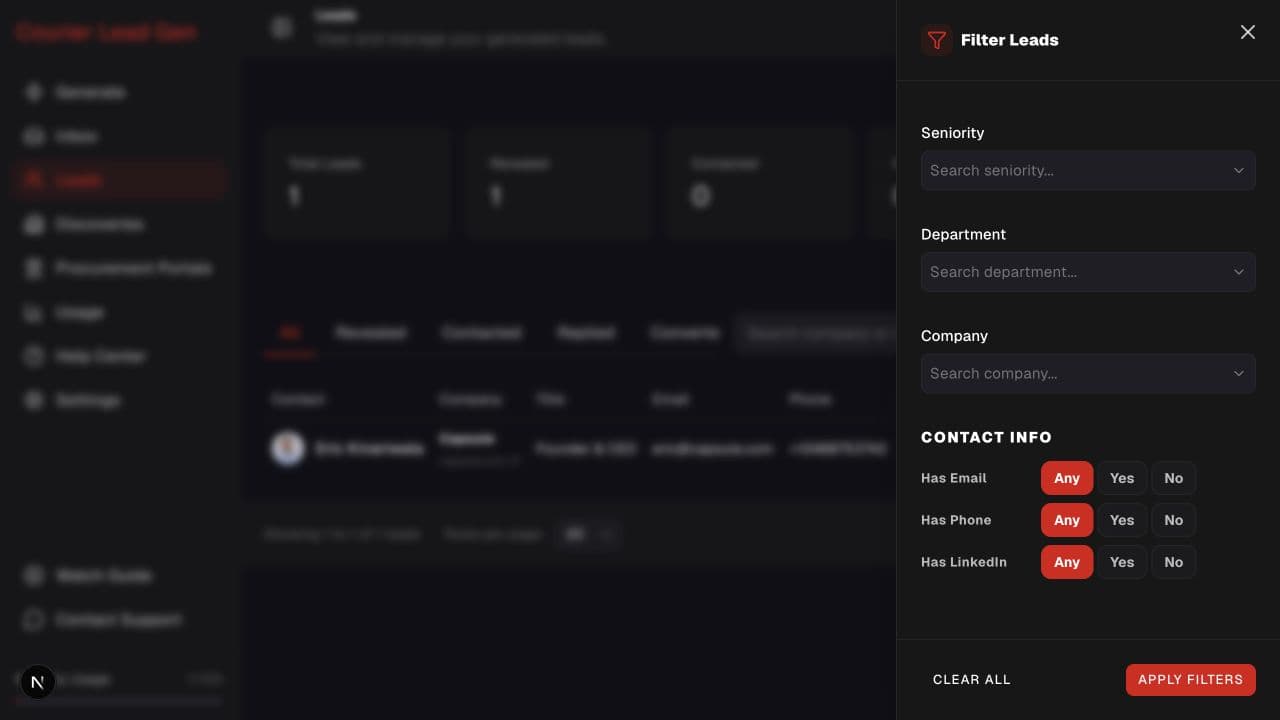
Step 2 of 3
Use search or the detailed filter panel if you only want a specific segment.
Step 3 of 3
Select CSV. The downloaded file reflects the current filters.
Open the feature and follow the same steps in your account.
Open Leads